
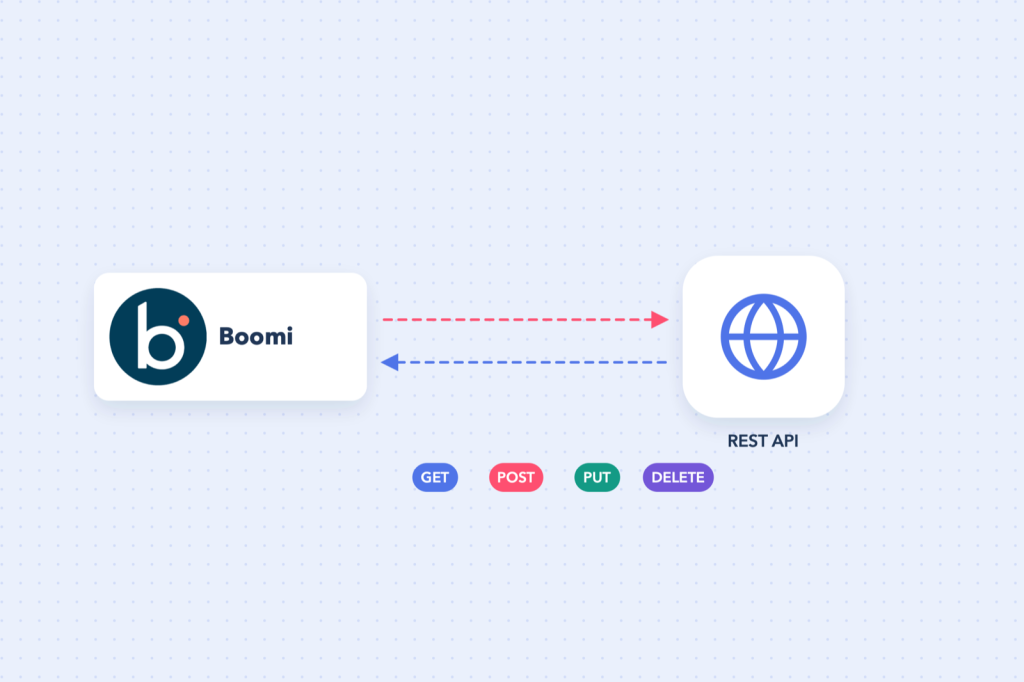
Not every system has a dedicated Boomi connector, and sometimes you need an endpoint the connector does not expose. The HTTP Client connector lets a Boomi process call any HTTP or REST API.
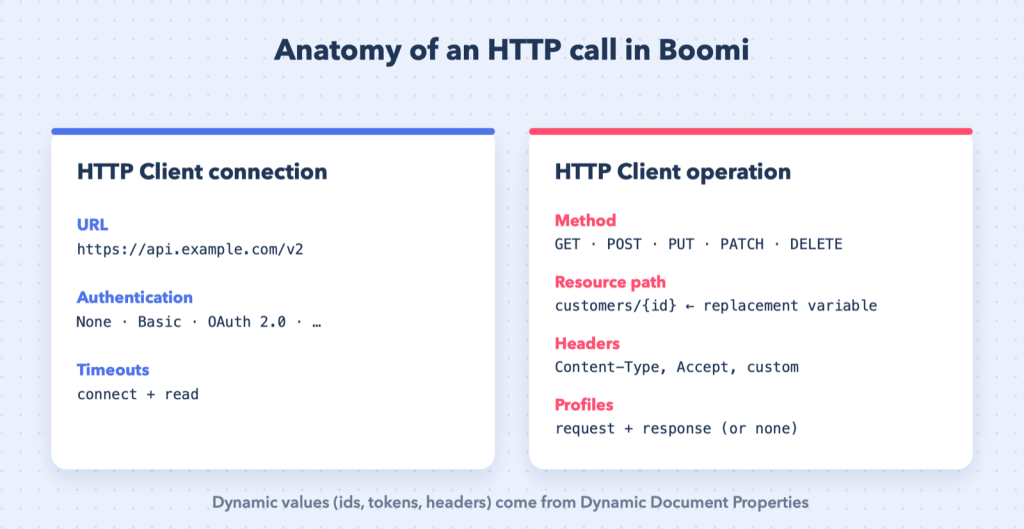
Connection: the base URL and authentication
| Field | Example |
|---|---|
| URL | https://api.example.com/v2 |
| Authentication | None, Basic, OAuth 1.0, OAuth 2.0 and others |
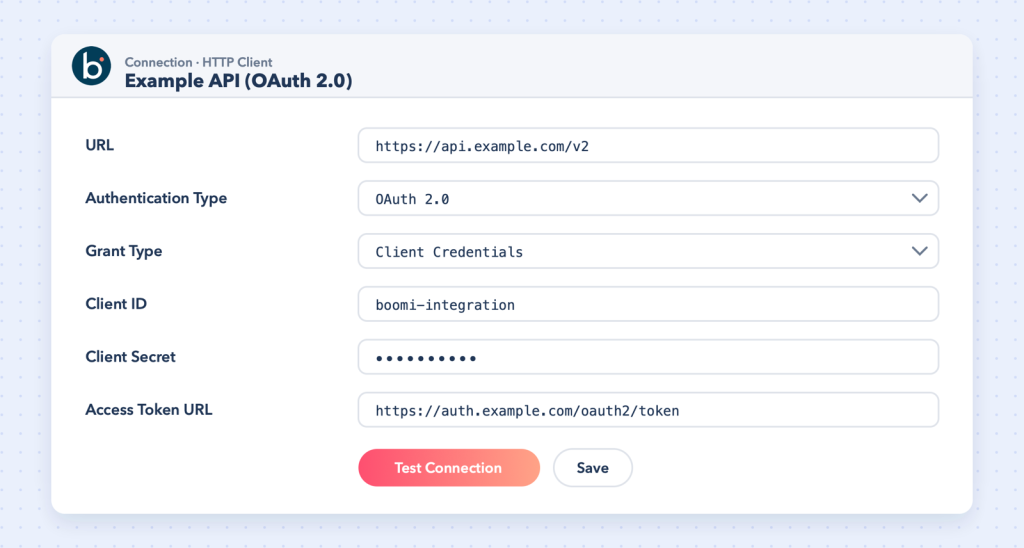
Put only the base URL here. The resource path for each call belongs in the operation, so one connection serves every endpoint of the API.
For OAuth 2.0, Boomi obtains and refreshes the access token for you once the token URL, client ID and secret are configured. For OAuth 1.0 (used by NetSuite, for example), see Connect NetSuite with Boomi (REST).
Operation: what to call
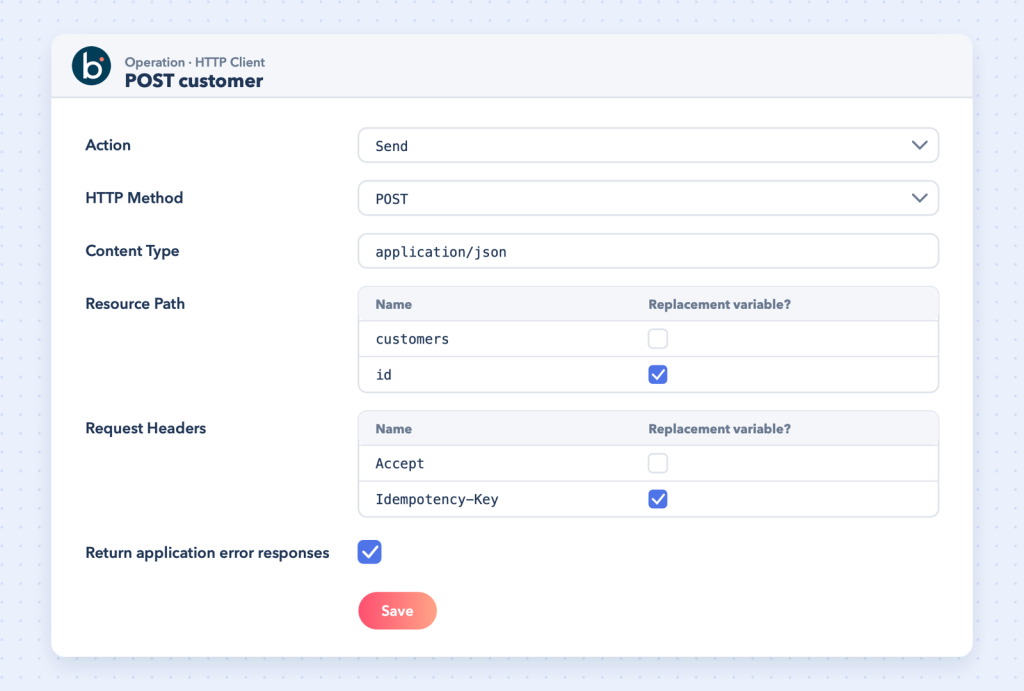
- Action: Get (no request body) or Send (sends the document as the body).
- HTTP method: GET, POST, PUT, PATCH or DELETE.
- Request and response profiles: JSON or XML profiles if you want to map the data, or none to pass it through.
- Content type: for example
application/json. - Resource path: the path after the base URL.
- Request headers.
Dynamic paths with replacement variables
To call GET /customers/42 for different customers, build the resource path from elements and mark the ID element as a replacement variable:
| Element | Replacement variable? |
|---|---|
customers | No |
id | Yes |
Before the connector, use a Set Properties shape to create a dynamic document property named exactly id (names are case-sensitive) and give it the customer ID, typically from the document itself. Boomi adds the slash between the base URL and the path automatically.
Dynamic headers
Headers work the same way: define the header in the operation, mark it as a replacement variable, and supply the value from a dynamic document property with the same name. This is how you pass per-call values such as an idempotency key.
Tip: For POST and PUT calls, supply dynamic values through dynamic document properties rather than the connector’s Parameters tab. The Boomi community reports blank request bodies when the Parameters tab is used with Send actions.
Example: create a customer with POST
- Build the JSON body with a Map (or a Message shape for quick tests).
- Optionally set headers with Set Properties.
- HTTP Client: action Send, method POST, path
customers, content typeapplication/json. - Map the response (for example the new ID) to the next step.
Handling errors properly
By default a non-success HTTP status fails the document. If you want to handle errors yourself, enable the operation option to return application error responses, then use a Decision shape on the response’s HTTP status code to route successes, retries and real failures differently. Common choices:
- 4xx (bad request, not found): log and send to an error report; retrying will not help.
- 429 / 5xx: wait and retry, or queue for the next run.
Tips
- Prove the call in Postman or
curlfirst, then copy the exact URL, headers and body into Boomi. - Keep secrets in the connection (and environment extensions), never in maps or message shapes.
- Respect rate limits; process documents in batches if the API requires it.