
Writing Groovy directly in Boomi’s script editor works, but every change means saving, running a test and digging through the process log. Setting up VS Code to run your Data Process scripts locally gives you instant feedback, proper syntax highlighting and a place to keep sample files. And with a tiny bit of scaffolding, the same script runs locally and in Boomi without edits.
What you will set up
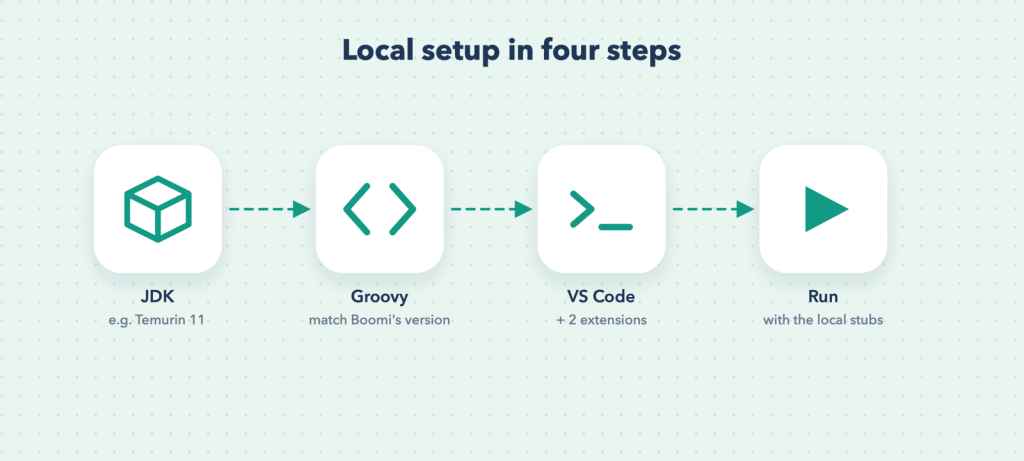
- A Java JDK (Groovy runs on the JVM).
- Groovy itself, ideally the same major version your Boomi Data Process uses.
- VS Code with two extensions.
- A small test harness that imitates Boomi’s
dataContextandExecutionUtil.
Step 1: install a JDK
Install a long-term-support JDK such as Eclipse Temurin 11. Older Groovy versions (such as 2.4) do not run reliably on the newest Java releases, so an LTS JDK like 11 is the safe choice if you want to match Boomi’s Groovy version.
Check it:
java -versionStep 2: install Groovy
The easiest way to install a specific version is SDKMAN (macOS, Linux, and Windows through WSL or Git Bash):
curl -s "https://get.sdkman.io" | bash
sdk list groovy          # see available versions
sdk install groovy 2.4.21
groovy --version
On Windows without SDKMAN, download the Groovy binary zip from the Apache Groovy website, unzip it (for example to C:toolsgroovy), and add its bin folder to your PATH.
Tip: Match the major version your Boomi Data Process uses (the Language setting of the Custom Scripting step, for example Groovy 2.4). Newer Groovy releases moved some classes (for example XmlSlurper to the groovy.xml package), so a script that runs locally on a newer version might not run in Boomi, and the other way round.
Step 3: VS Code and two extensions
VS Code already highlights .groovy files. Add:
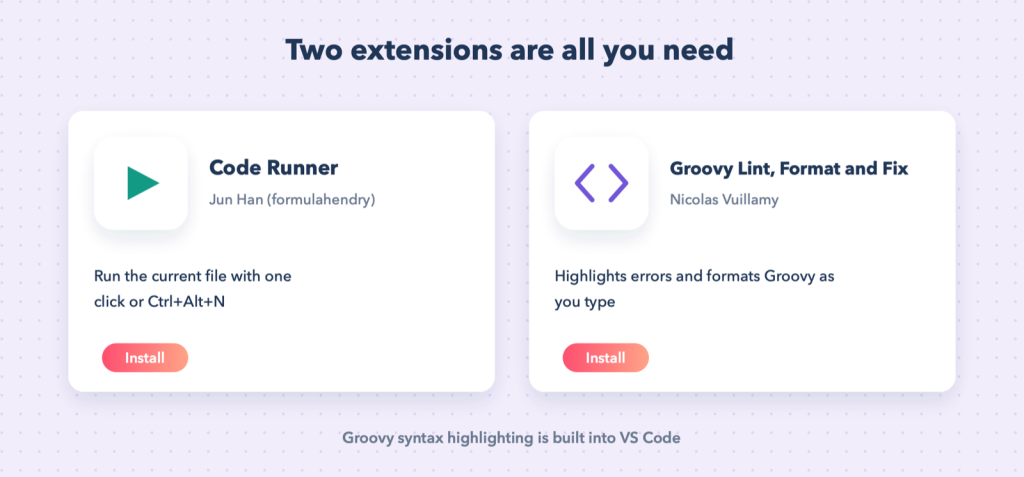
- Code Runner (by Jun Han): runs the current file with one click or
Ctrl+Alt+N. - Groovy Lint, Format and Fix (by Nicolas Vuillamy): highlights errors and formats code. It needs Java, which you installed in step 1.
Step 4: the local test harness
Boomi gives your script two things that do not exist on your laptop: the dataContext object (your documents and their properties) and the com.boomi.execution.ExecutionUtil class (process properties and the logger). We create small stand-ins for both, so scripts copied from Boomi compile and run unchanged.
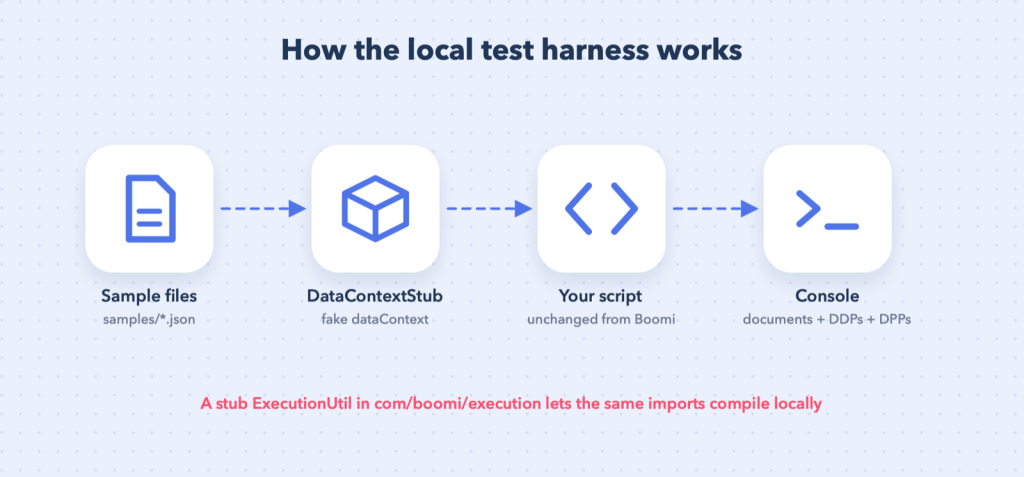
Create this folder structure:
boomi-groovy-lab/
├── com/boomi/execution/ExecutionUtil.groovy
├── DataContextStub.groovy
├── run.groovy
├── samples/orders.json
└── scripts/split-orders.groovy
A stand-in for ExecutionUtil
Same package and method names as Boomi’s class, so import com.boomi.execution.ExecutionUtil works locally:
package com.boomi.execution

import java.util.logging.Logger

/** Local stand-in for Boomi's ExecutionUtil, so scripts run unchanged in VS Code. */
class ExecutionUtil {
    static final Map<String, String> dynamicProcessProperties = [:]
    static final Map<String, String> processProperties = [:]

    static String getDynamicProcessProperty(String name) { dynamicProcessProperties[name] }

    static void setDynamicProcessProperty(String name, Object value, boolean persist) {
        dynamicProcessProperties[name] = value?.toString()
    }

    static Logger getBaseLogger() { Logger.getLogger('boomi-local') }
}
A stand-in for dataContext
/** Local stand-in for Boomi's dataContext: holds input documents and collects outputs. */
class DataContextStub {
    private final List<Map> inputs = []
    final List<Map> outputs = []

    void addDocument(String text, Map<String, String> props = [:]) {
        Properties p = new Properties()
        props.each { k, v -> p.setProperty(k, v) }
        inputs << [text: text, props: p]
    }

    int getDataCount() { inputs.size() }

    InputStream getStream(int i) { new ByteArrayInputStream(inputs[i].text.getBytes('UTF-8')) }

    Properties getProperties(int i) { inputs[i].props }

    void storeStream(InputStream is, Properties props) {
        outputs << [text: is.getText('UTF-8'), props: props]
    }
}
The runner
run.groovy loads sample files as input documents, runs your script with dataContext bound to the stub, and prints every output document with its dynamic document properties, plus any dynamic process properties the script set:
// Usage: groovy -cp . run.groovy scripts/<script>.groovy samples/<file> [more files...]
import com.boomi.execution.ExecutionUtil

def script = new File(args[0])
def ctx = new DataContextStub()
args.drop(1).each { ctx.addDocument(new File(it).getText('UTF-8'), ['document.dynamic.userdefined.DDP_FILE_NAME': new File(it).name]) }

def binding = new Binding(dataContext: ctx)
new GroovyShell(this.class.classLoader, binding).evaluate(script)

ctx.outputs.eachWithIndex { doc, i ->
    println "--- output document ${i + 1} ---"
    println doc.text
    doc.props.findAll { it.key.toString().startsWith('document.dynamic.userdefined.') }
             .each { k, v -> println "  DDP ${k - 'document.dynamic.userdefined.'} = ${v}" }
}
if (ExecutionUtil.dynamicProcessProperties) {
    println "--- dynamic process properties ---"
    ExecutionUtil.dynamicProcessProperties.each { k, v -> println "  ${k} = ${v}" }
}
Try it
Sample input, samples/orders.json:
{"orders": [
  {"id": 1001, "customer": "Acme Ltd", "status": "active", "total": 250.75},
  {"id": 1002, "customer": "Globex", "status": "cancelled", "total": 99.10}
]}
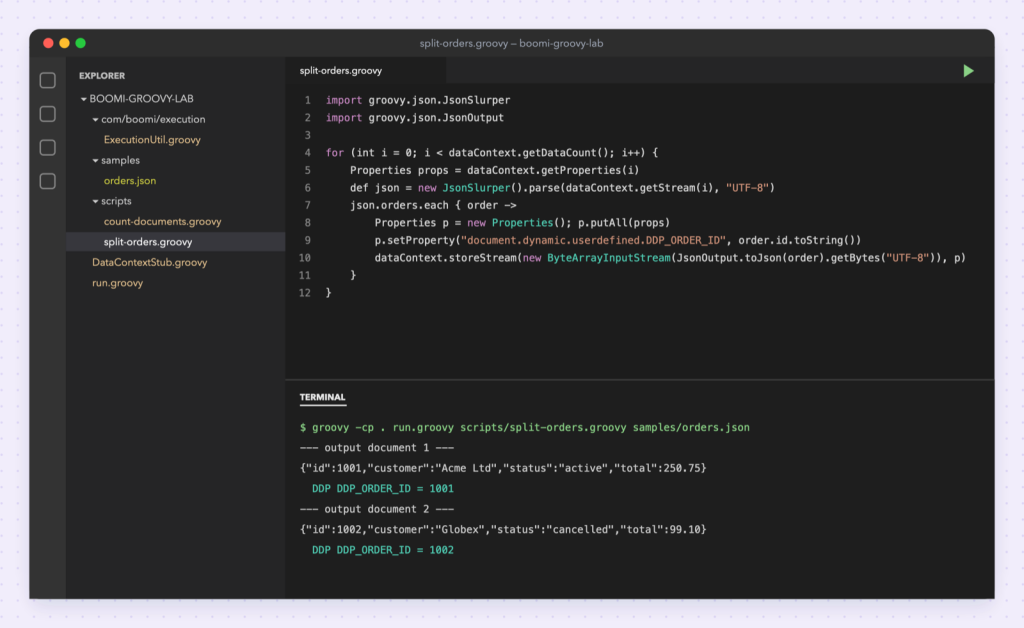
A script exactly as you would paste it into Boomi, scripts/split-orders.groovy (from Working with JSON in Groovy):
import java.util.Properties
import groovy.json.JsonSlurper
import groovy.json.JsonOutput

for (int i = 0; i < dataContext.getDataCount(); i++) {
    Properties props = dataContext.getProperties(i)
    def json = new JsonSlurper().parse(dataContext.getStream(i), "UTF-8")

    json.orders.each { order ->
        Properties p = new Properties()
        p.putAll(props)
        p.setProperty("document.dynamic.userdefined.DDP_ORDER_ID", order.id.toString())
        String out = JsonOutput.toJson(order)
        dataContext.storeStream(new ByteArrayInputStream(out.getBytes("UTF-8")), p)
    }
}
Run it from the project folder:
groovy -cp . run.groovy scripts/split-orders.groovy samples/orders.jsonOutput:
--- output document 1 ---
{"id":1001,"customer":"Acme Ltd","status":"active","total":250.75}
  DDP DDP_ORDER_ID = 1001
  DDP DDP_FILE_NAME = orders.json
--- output document 2 ---
{"id":1002,"customer":"Globex","status":"cancelled","total":99.10}
  DDP DDP_ORDER_ID = 1002
  DDP DDP_FILE_NAME = orders.json
One input document became two output documents, each with its own dynamic document property, just as it would in Boomi.
Run with one click
Tell Code Runner to use the harness. Open Settings → Extensions → Code Runner → Executor Map (or edit settings.json) and set the Groovy entry:
{
  "code-runner.executorMap": {
    "groovy": "cd $workspaceRoot && groovy -cp . run.groovy $fullFileName samples/orders.json"
  }
}
Now open any script under scripts/ and press Run (or Ctrl+Alt+N).
Moving scripts back to Boomi
- Copy the script body into the Data Process shape unchanged; the imports already match Boomi.
- Do not copy
run.groovy,DataContextStub.groovyor the stubExecutionUtil; Boomi provides the real ones. - Run the process once in Boomi test mode with real data. The stubs imitate Boomi’s behaviour for documents and properties; they are not Boomi itself.