
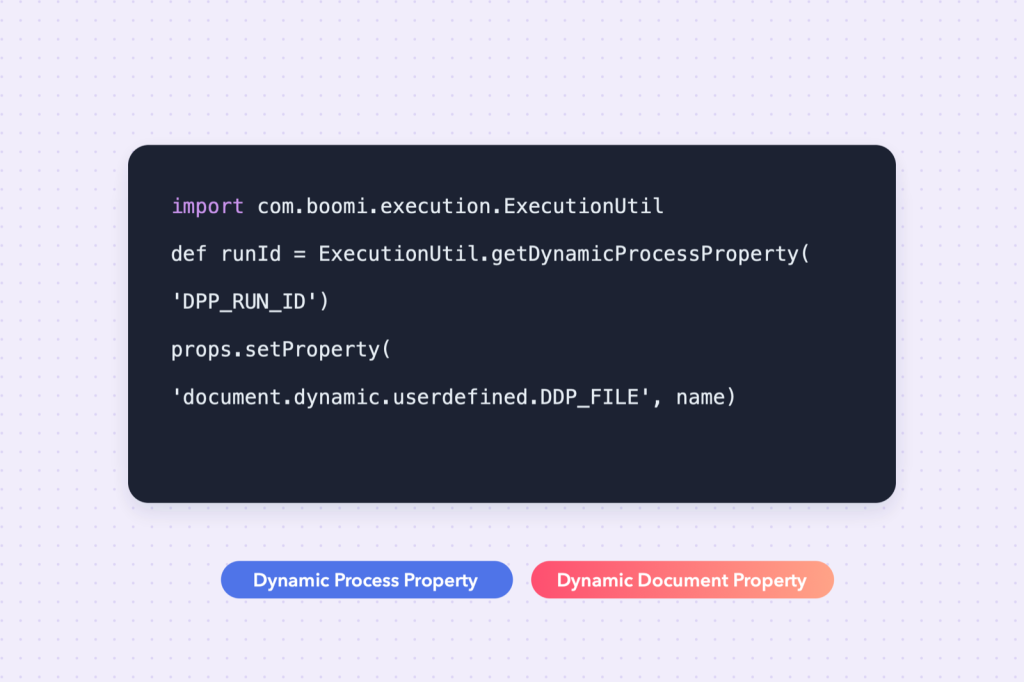
This guide shows how to get and set a Dynamic Process Property (DPP) and a Dynamic Document Property (DDP) in a Boomi Groovy script, with copy-paste code for ExecutionUtil.getDynamicProcessProperty, setDynamicProcessProperty and document.dynamic.userdefined.
Boomi gives you two kinds of “variables” you will use constantly, and mixing them up is one of the most common sources of confusing bugs.
If you have ever seen a process where every record ended up with the last record’s ID, or a property that was set in one shape and mysteriously empty in the next, this is almost certainly why. Once the difference between process-level and document-level values is clear, a whole class of Boomi problems simply disappears — and scripts become much easier to write. In almost every integration I build, these two kinds of property carry the essential context: the run’s start time, the file a record came from, the ID the target system assigned, the URL to call next.
DPP vs DDP: what is the difference?
A DPP holds one value for the whole process execution; a DDP holds a separate value on every document.
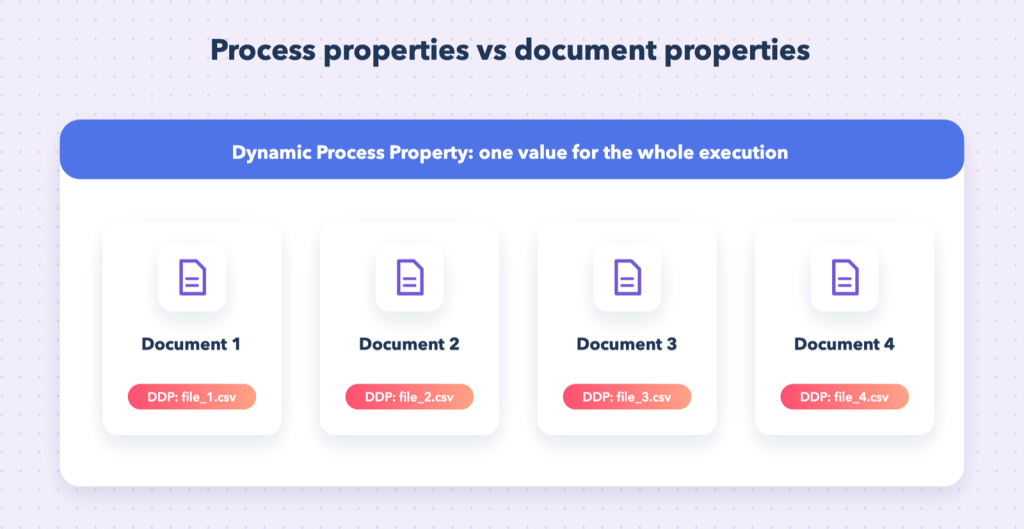
| Dynamic Process Property (DPP) | Dynamic Document Property (DDP) | |
|---|---|---|
| Scope | the whole process execution | one document |
| Typical use | run ID, last-run date, counters, config flags | file name, record ID, target URL, routing key |
| Persist between runs | optional | no |
Rule of thumb: if the value is the same for every document, use a DPP. If every document can have its own value, use a DDP.
An analogy that sticks
Think of a process execution as a delivery van and documents as the parcels in it. A DPP is written on the van’s dashboard: today’s route number, the time the van left the depot, how many parcels were delivered so far. A DDP is the label on each parcel: who it is for, where it came from, its tracking number. If you write a parcel’s address on the dashboard, every parcel goes to the same house.
Where else these properties come from
You don’t need a script to use them. The Set Properties shape can set both kinds from constants, document data, connector properties (such as the incoming file name) or other properties, and most shapes can read them — in maps, decisions, connector parameters and, as covered in Make HTTP calls in Boomi, as replacement variables in URLs and headers. Scripts are simply the most flexible way to calculate them. Everything in this guide works alongside values set with shapes, as long as the names match exactly.
| Kind of property | Set by | Lives for | Typical use |
|---|---|---|---|
| Process property (component) | defined in a component, overridden per environment | configuration | settings that change per environment |
| Dynamic process property (DPP) | Set Properties or script | one execution (optionally persisted) | run ID, last-run date, counters |
| Dynamic document property (DDP) | Set Properties or script | one document | file name, record ID, routing key |
| Connector document properties | connectors (e.g. SFTP file name, HTTP headers) | one document | metadata about where a document came from |
The Boomi Groovy script skeleton
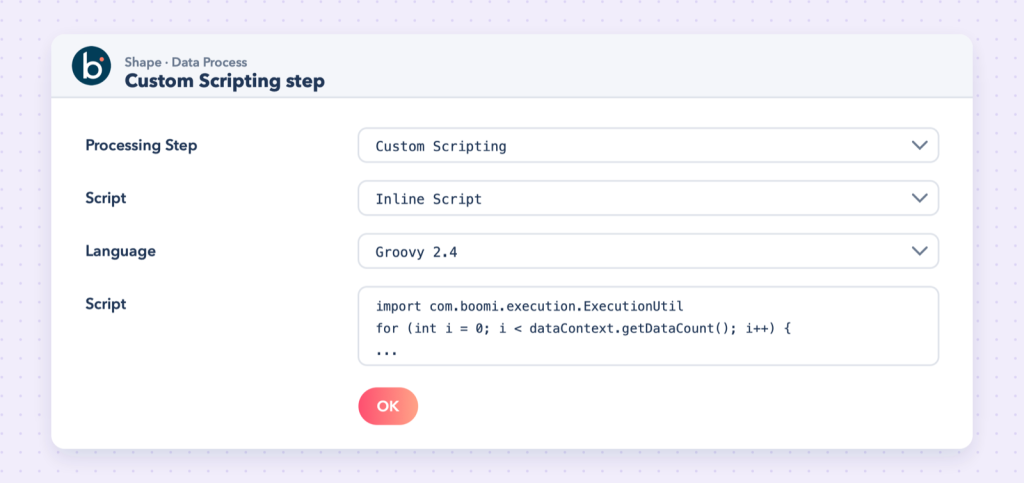
Scripts run in a Data Process shape with the Custom Scripting step. A script receives all documents and must write each one back out, otherwise it disappears from the process:
import java.util.Properties
import java.io.InputStream
import com.boomi.execution.ExecutionUtil

for (int i = 0; i < dataContext.getDataCount(); i++) {
    InputStream is = dataContext.getStream(i)
    Properties props = dataContext.getProperties(i)

    // ... your logic ...

    dataContext.storeStream(is, props)
}
props holds that document’s properties, including its dynamic document properties.
Two consequences of this structure trip people up. First, the script sees every document at once, so a DPP set inside the loop is overwritten on each iteration — fine for counters, wrong for per-document values. Second, not storing a document removes it, which is how you filter documents in a script, and also how documents vanish by accident when an exception is caught and the storeStream call is skipped.
How to get and set a Dynamic Process Property (DPP) in Groovy
Get a DPP with ExecutionUtil.getDynamicProcessProperty() and set it with ExecutionUtil.setDynamicProcessProperty():
import com.boomi.execution.ExecutionUtil

// read (null if not set)
String lastRun = ExecutionUtil.getDynamicProcessProperty("DPP_LAST_RUN")

// write: the third argument controls persistence between executions
ExecutionUtil.setDynamicProcessProperty("DPP_LAST_RUN", new Date().format("yyyy-MM-dd'T'HH:mm:ss"), true)
Values are always stored as text, so convert numbers yourself, and remember that names are case-sensitive.
Persisting a DPP between runs
The third argument to setDynamicProcessProperty decides whether the value survives after the execution ends. With true, the next execution of the same deployed process starts with the stored value. This is the mechanism behind the most useful pattern in integration work — the incremental sync:
import com.boomi.execution.ExecutionUtil

// At the start of the run: where did we get to last time?
String since = ExecutionUtil.getDynamicProcessProperty("DPP_LAST_RUN") ?: "2026-01-01T00:00:00"

// Remember when THIS run started (store it at the end, only on success)
String runStart = new Date().format("yyyy-MM-dd'T'HH:mm:ss", TimeZone.getTimeZone("UTC"))
ExecutionUtil.setDynamicProcessProperty("DPP_RUN_START", runStart, false)
A query then uses DPP_LAST_RUN as its filter (records modified since then), and a final step — reached only when everything succeeded — copies DPP_RUN_START into DPP_LAST_RUN with persistence on. If the run fails half way, the stored value is unchanged and the next run retries the same window. The same idea is described from the connector side in Connect Salesforce with Boomi and NetSuite REST with SuiteQL.
Note: Persisted values belong to the deployed process in a specific environment. They are visible (and can be edited) in runtime management, which is handy for re-syncing: move the date back and the next run picks up older records.
Example: count documents across the whole run
import com.boomi.execution.ExecutionUtil

int count = (ExecutionUtil.getDynamicProcessProperty("DPP_COUNT") ?: "0") as int

for (int i = 0; i < dataContext.getDataCount(); i++) {
    count++
    dataContext.storeStream(dataContext.getStream(i), dataContext.getProperties(i))
}

ExecutionUtil.setDynamicProcessProperty("DPP_COUNT", count.toString(), false)
Counters like this are useful for run summaries: a final step can report “120 bills read, 117 created, 3 rejected” — far more useful to the business than a green tick.
How to get and set a Dynamic Document Property (DDP) in Groovy
DDPs live in each document’s props. Get one with props.getProperty() and set it with props.setProperty(), using the prefix document.dynamic.userdefined.:
// read: same name you used in Set Properties
String fileName = props.getProperty("document.dynamic.userdefined.DDP_FILE_NAME")

// write: visible to later shapes as DDP_FILE_NAME
props.setProperty("document.dynamic.userdefined.DDP_FILE_NAME", "orders_" + i + ".csv")
Watch out: Set the property before storeStream. Changes made after the document has been stored are not carried forward.
Naming conventions
Pick a convention and use it everywhere: DDP_ and DPP_ prefixes, upper case, words separated by underscores (DDP_ORDER_NO, DPP_LAST_RUN). It makes properties instantly recognisable in maps and connector settings, and avoids the case-sensitivity typos that cause most “empty property” bugs.
Example: take a value from the document into a DDP
Read an order number from each XML document and store it as a DDP so a later HTTP call or file name can use it:
import java.util.Properties
import java.io.InputStream

for (int i = 0; i < dataContext.getDataCount(); i++) {
    InputStream is = dataContext.getStream(i)
    Properties props = dataContext.getProperties(i)

    String text = is.getText("UTF-8")
    def order = new XmlSlurper().parseText(text)
    props.setProperty("document.dynamic.userdefined.DDP_ORDER_NO", order.OrderNumber.text())

    // the stream was consumed, so store a fresh one
    dataContext.storeStream(new ByteArrayInputStream(text.getBytes("UTF-8")), props)
}
Reading a stream consumes it; always store a new stream built from the text, as above.
The same works for JSON with JsonSlurper — see Working with JSON in Groovy — and the pattern is identical: read the text once, extract what you need, set the DDP, store a fresh stream.
Example: carry the file name onto every record
When one file is split into many records, each record should still know which file it came from. Copy the original properties into each new document and add the record-level values:
import java.util.Properties

for (int i = 0; i < dataContext.getDataCount(); i++) {
    Properties fileProps = dataContext.getProperties(i)
    String fileName = fileProps.getProperty("document.dynamic.userdefined.DDP_FILE_NAME")
    int lineNo = 0

    dataContext.getStream(i).getText("UTF-8").eachLine { line ->
        if (lineNo++ == 0 || !line.trim()) return      // skip header and blank lines
        Properties p = new Properties()
        p.putAll(fileProps)
        p.setProperty("document.dynamic.userdefined.DDP_LINE_NO", lineNo.toString())
        dataContext.storeStream(new ByteArrayInputStream(line.getBytes("UTF-8")), p)
    }
}
Now an error report can say “line 14 of bills_0611.csv failed”, which is exactly what the business needs — the approach used in file-driven integrations like Truck Accessory Bill Payment Automation.
Log what you are doing
def logger = ExecutionUtil.getBaseLogger()
logger.info("Processing " + dataContext.getDataCount() + " documents")
Log lines appear in the process log in test mode and in Process Reporting.
Log what the script decided, not the data itself: counts, IDs, which branch was taken. Payloads can contain personal or financial data that shouldn’t sit in logs, and huge log lines make Process Reporting slow to use.
Common mistakes
- Using a DPP for per-document values: the last document overwrites the value for everyone.
- Forgetting
storeStream, which silently drops documents. - Reading
is.getText()and then storing the same (now empty) stream. - A name typo (they are case-sensitive).
- Persisting a “last run” value at the start of the run, so a failed run skips records next time.
- Expecting a DDP set on one document to appear on documents created later from a different source (for example a connector response) — copy it across explicitly if you need it.
Test scripts on your machine
Editing scripts inside a Data Process shape and re-running test mode is slow. With a small harness that imitates dataContext and ExecutionUtil, you can run these exact scripts locally against sample files and see every output document with its DDPs and DPPs printed — see Set up VS Code to run and test Boomi Groovy scripts locally.
Frequently asked questions
How do I get a dynamic process property in a Boomi Groovy script?
Call ExecutionUtil.getDynamicProcessProperty("NAME"). It returns the value as a String, or null if it has not been set.
How do I set a dynamic document property in Groovy?
Call props.setProperty("document.dynamic.userdefined.NAME", value) on the document’s properties, then pass props to dataContext.storeStream().
Why is my DDP empty in the next shape?
Usually the property was set after storeStream, the name has a typo (names are case-sensitive), or the document.dynamic.userdefined. prefix is missing.
How do I keep a value between process runs?
Set a DPP with the third argument true: ExecutionUtil.setDynamicProcessProperty("NAME", value, true). The next execution of the same deployed process reads it back with getDynamicProcessProperty.
Can I read a DDP that was set with a Set Properties shape?
Yes. A DDP named DDP_FILE_NAME in Set Properties is document.dynamic.userdefined.DDP_FILE_NAME in a script — same property, two ways of addressing it.
Further reading
- Boomi: Groovy, accessing process properties
- Boomi: com.boomi.execution.ExecutionUtil
- Boomi: Custom scripting step
Need a hand?
Properties are small, but they hold most of an integration’s logic together. If you are untangling a process where values leak between documents, or designing incremental syncs that must never miss a record, the Boomi integration consultant page explains how I can help — or get in touch directly.